
Guide
How to set up IRLbox with a cloud server
Point your IRLbox encoder at your cloud OBS server or relay: open irlbox.local, pick a protocol in Stream settings, and start streaming.
Where to find your server details
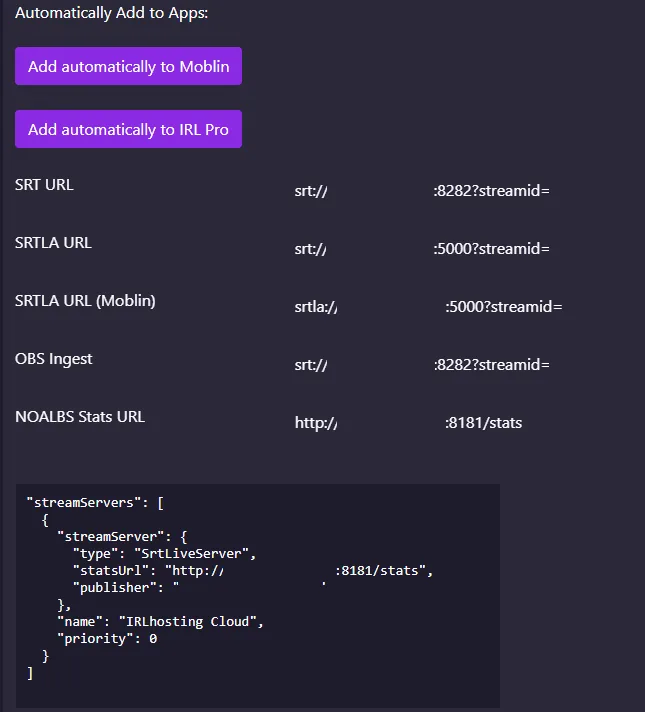
Log in to IRLhosting, open Services → My Services and pick your Cloud OBS or SimpleStreamer service. The connection details are on the service page:
| Field | Port | Use it for |
|---|---|---|
| SRTLA URL | 5000 | Bonded streaming from BELABOX, IRLbox, IRL Pro and other SRTLA senders |
| SRTLA URL (Moblin) | 5000 | The same address written as srtla://, the way Moblin expects it |
| SRT URL | 8282 | Plain SRT from a single connection |
| OBS Ingest | 8282 | The address OBS on the server reads your stream from |
| NOALBS Stats URL | 8181 | The stats page NOALBS checks for your bitrate |
Step by step
Power up and connect
Plug in the IRLbox and connect it to your local network.
Open irlbox.local
On a computer on the same network, go to
http://irlbox.localin a browser. If it doesn't load, use the IRLbox's IP address from your router's list of devices.Open Stream settings
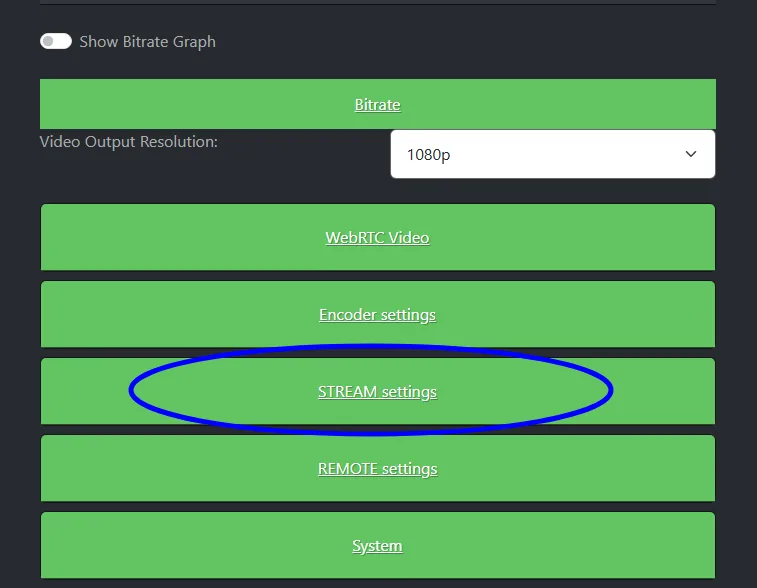
Click STREAM settings.
Choose a protocol
Pick SRTLA to bond your connections (download it first if the IRLbox asks). Choose RIST, SRT or RTMP if you use one of those instead.
Enter your server
Fill in the receiver address, receiver port (
5000for SRTLA) and Streamid from your service page. For an IPv6 address, put it in square brackets.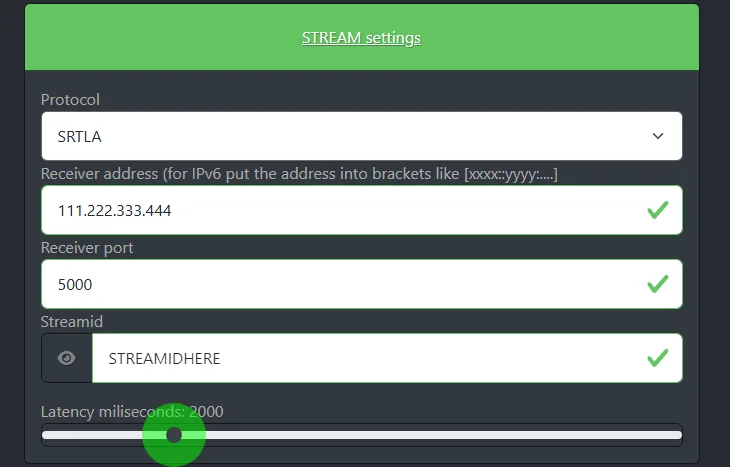
Connect the camera and start
Turn the camera on and press Start Stream.

Which protocol to choose
- SRTLA bonds several connections into one stream, so a drop on one doesn't end it. Use it if you can. What is SRTLA?
- SRT over one connection recovers lost packets but has no bonding. Port
8282. - RIST and RTMP work too if your setup needs them; the details for each are on your service page.
If it doesn't work
- Red marks on the fields: the IRLbox checks each field as you type. A port of 0 or a reserved port is rejected; use the port from your service page.
- Streaming, but nothing arrives: check the protocol matches the port (SRTLA on 5000, SRT on 8282) and the stream ID is exact.
- Choppy picture: lower the bitrate or raise the latency above 2000 ms. The bitrate checker helps you pick a bitrate.
FAQ
IRLbox setup: FAQ
What is irlbox.local?
It's the address of the IRLbox settings page on your local network. Open http://irlbox.local from a computer on the same network, or use the device's IP address.
Which protocol should I use on IRLbox?
SRTLA, if you have more than one connection, because it bonds them. The IRLbox also supports SRT, RIST and RTMP.
What port do I use for SRTLA?
Port 5000 on IRLhosting. Plain SRT uses port 8282. Both are on your service page.
Does IRLbox work with a cloud OBS server?
Yes. Enter your server's address, port and stream ID in Stream settings, and the IRLbox feed arrives in OBS on your server.
Run your IRLbox into your own cloud OBS
Cloud OBS plans come with SRTLA, SRT, RIST and RTMP ingest, disconnect protection and IRLremote.