
Guide
How to set up IRL Pro for SRTLA streaming
Connect IRL Pro on your Android phone to your cloud OBS server or SRTLA relay, with one tap from your client area or by adding the connection yourself.
The quick way: one-tap import
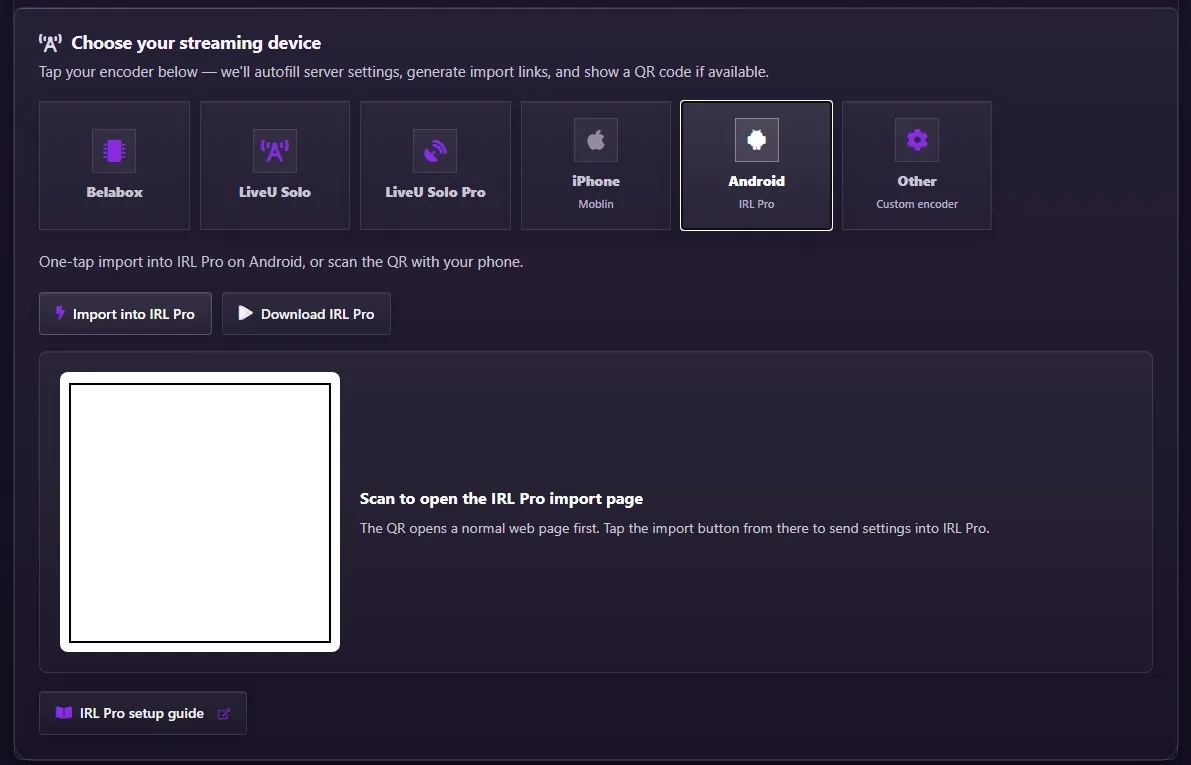
Every paid IRLhosting service has a quick setup in the client area. Open your service, choose Android (IRL Pro), and tap Import into IRL Pro on your phone, or scan the QR code with your phone's camera. IRL Pro adds the connection with your server's details filled in.
Manual setup, step by step
Open Connections
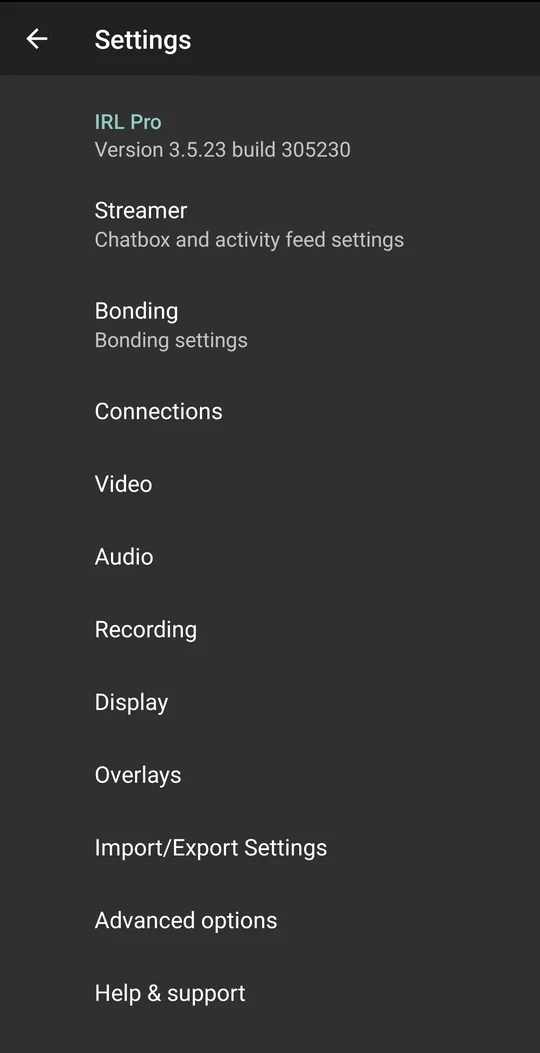
In IRL Pro, open Settings and tap Connections.
Add a new connection
Tap New connection and give it a name, such as IRLhosting.
Enter your SRTLA URL and stream ID
Copy the SRTLA URL from your service page under Services → My Services, written as
srtla://with port5000. More fields appear once the URL is in. Enter your stream ID in the streamid field, then tap Save.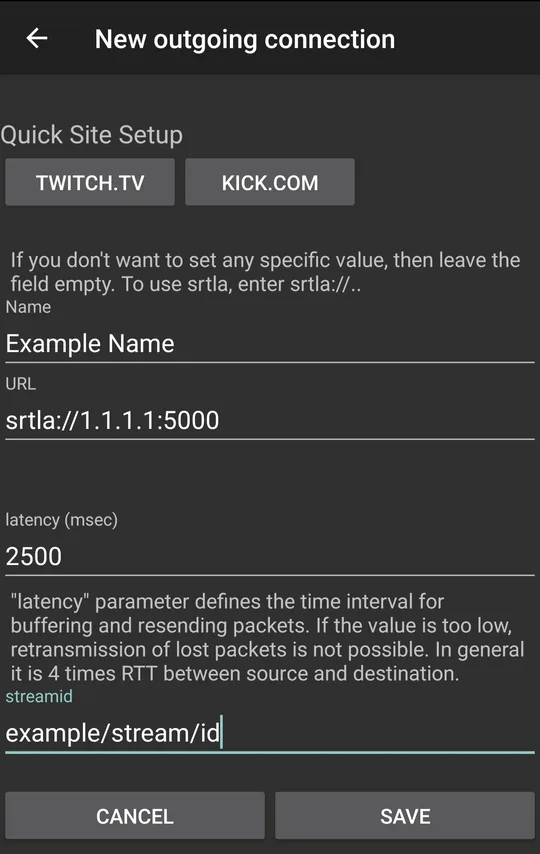
Select the connection
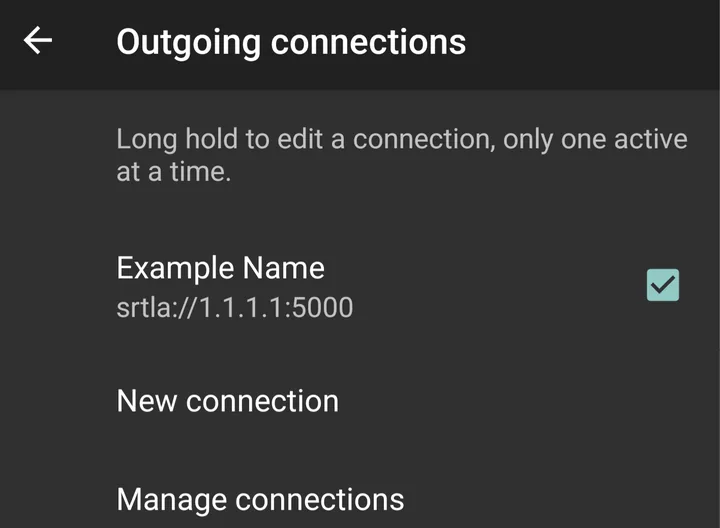
Back in the list, tick the connection you just made. Only one connection is active at a time.
Set the video format
Go back to Settings, open Video and set Format to HEVC. See the video settings below.
Go live
Back on the main screen, tap the play button and then Start broadcast.
The latency field in the connection sets how long the server waits for lost packets. IRL Pro suggests about four times your round-trip time; a value around 2000–2500 ms is a safe start on mobile data.
Video settings
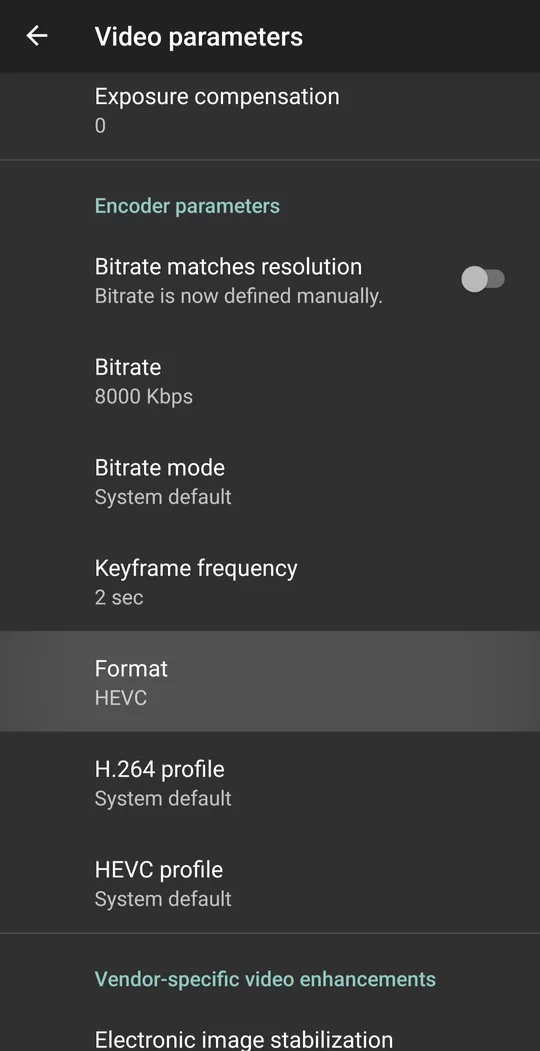
- Format: HEVC. HEVC (H.265) gives a better picture than H.264 at the same bitrate, which matters on mobile data.
- Bitrate: start around 4–6 Mbps for 1080p. Check yours with the bitrate checker.
- Keyframe frequency: 2 seconds.
Tips
- Bond your connections under Settings → Bonding, so a dead zone on one network is covered by another.
- Watch your data: the data usage calculator splits it across your SIMs.
- Build the URL with the SRT URL builder if you're unsure of the format, or make a setup QR code with the QR code generator.
FAQ
IRL Pro setup: FAQ
How do I use SRTLA in IRL Pro?
Add a new connection and enter a URL that starts with srtla://, with your server address and port 5000, then your stream ID. IRL Pro shows it can bond when you start the broadcast.
Should I use HEVC or H.264 in IRL Pro?
HEVC. It gives a better picture at the same bitrate. Use H.264 only if your phone or the receiving side can't handle HEVC.
What latency should I set in IRL Pro?
IRL Pro suggests about four times your round-trip time to the server. Around 2000–2500 ms is a safe start on mobile data.
Is IRL Pro on iPhone?
No, IRL Pro is for Android. On iPhone, use Moblin; see the Moblin setup guide.
Get a server IRL Pro can import in one tap
Cloud OBS plans are set up for you, with one-tap imports for IRL Pro and Moblin.