Signal drops don't end your stream
Your mobile connection will drop. When this happens, Cloud OBS keeps the stream live with a BRB scene that plays your channel's clips, so you keep your viewers and your VOD stays in one piece.
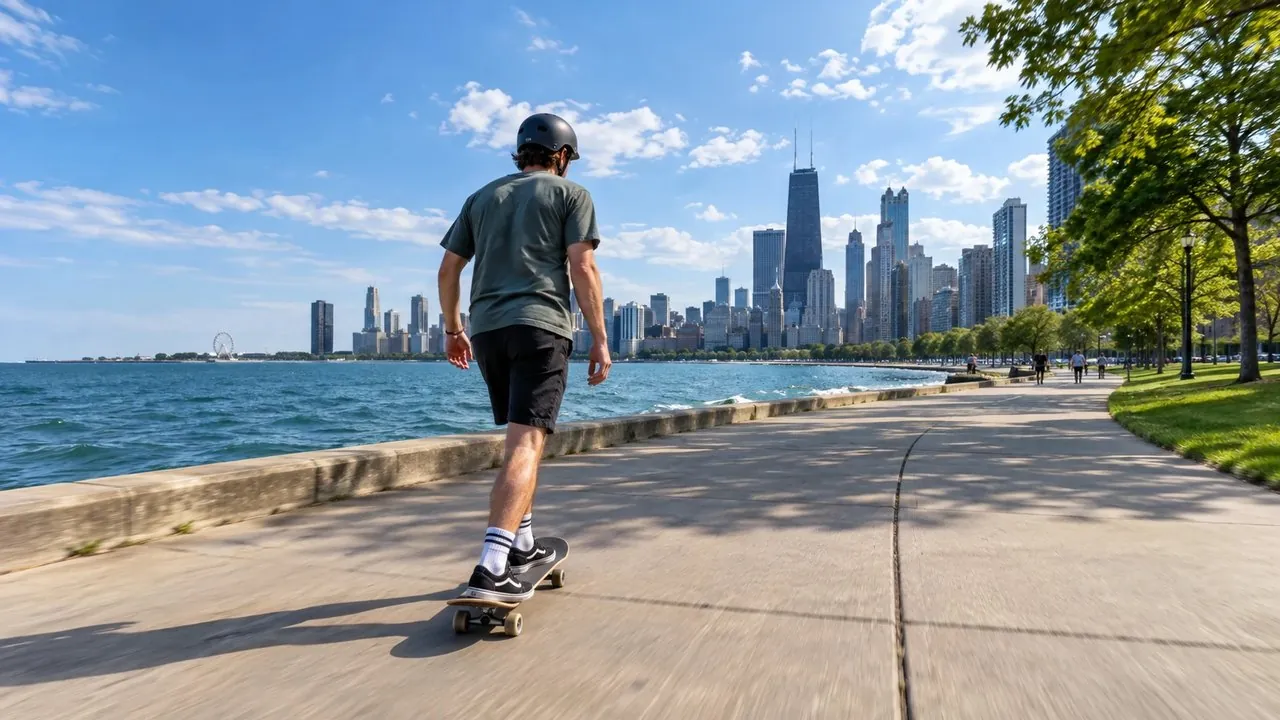
Your OBS runs 24/7 in the cloud. You stream on the go. When the signal drops, viewers get clips from your own channel instead of a dead stream, and you run the whole show from your browser or your pocket.
Stream to any platform
What is Cloud OBS?
Cloud OBS is OBS Studio running on a machine stored in a professional data centre, online 24/7. Your device sends audio and video to it, OBS adds in your overlays and alerts then the server sends the stream to Twitch, Kick, YouTube or any streaming platform of your choosing. No laptop in a backpack, no PC left running at home.
Tunnels, large crowds or a dead SIM. On a normal setup the stream goes offline and your stream ends. With Cloud OBS the server is still live, so it switches to your BRB scene and plays clips from your channel. Your viewers stay, and the stream picks right back up the moment your connection recovers.
 [LIVE]
Tunnels, large crowds or a dead SIM. On a normal setup the stream goes offline and ends. With Cloud OBS the server is still live, so it switches to your BRB scene and plays clips from your channel. Your viewers stay, and the stream picks right back up the moment your connection recovers.
Why you need it
Your mobile connection will drop. When this happens, Cloud OBS keeps the stream live with a BRB scene that plays your channel's clips, so you keep your viewers and your VOD stays in one piece.
Your phone or encoder only sends video. All the heavy lifting (encoding, overlays, alerts) happens on our server, so you're not required to carry additional gear to enhance your stream.
Home internet hiccups and power cuts take a home OBS down with them. Ours sits in a professional data centre on a fast, redundant connection designed for running 24/7.
Send one stream with your device and have the Cloud OBS server push it to Twitch, Kick and YouTube at the same time with the built-in multi-streamer, on Intermediate (up to 5 platforms) and Professional (up to 12).
Production power in your pocket. Switch scenes from your phone mid-walk with the included IRLremote, or let a mod run the show from their browser with IRLstudio mode. Complete control without the need to have someone acting as a producer behind a PC.
Setup and direct support is included with every Cloud OBS package. Our Discord is full of real, experienced streamers who've been where you are. Direct, personal support is available with our #open-a-ticket system. You get real support from real streamers, not generalized AI responses.
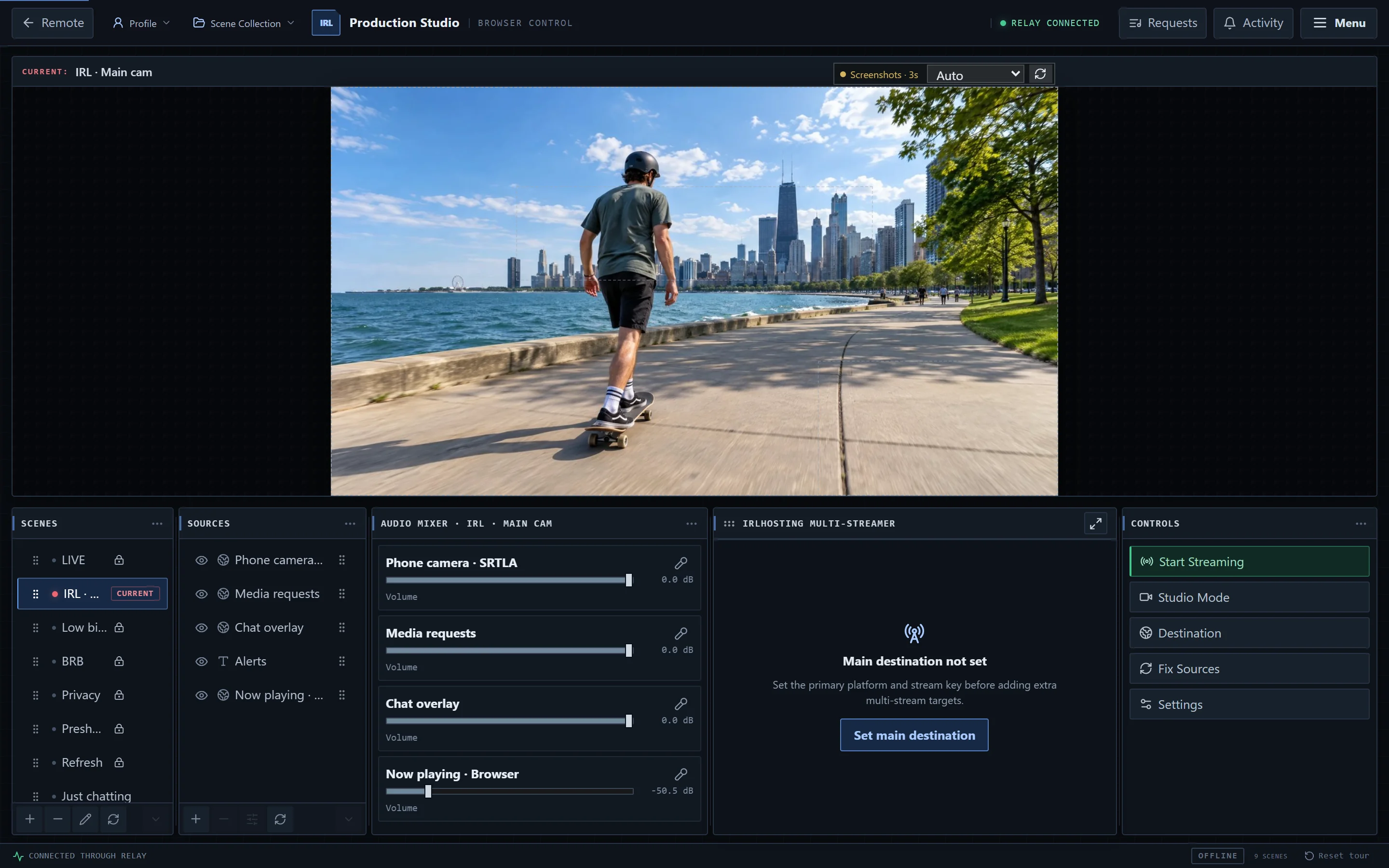
IRLstudio
IRLstudio is a way to control OBS without remotely accessing OBS directly: see your output, switch scenes, toggle sources, mix audio and start the multi-streamer from any computer. Give trusted community members access via the access token system and they can assist with running your stream while you're out streaming.
Open the menu
These are located one click away from your preview. No additional overlay accounts required, no extra laptop, no plugins to install.
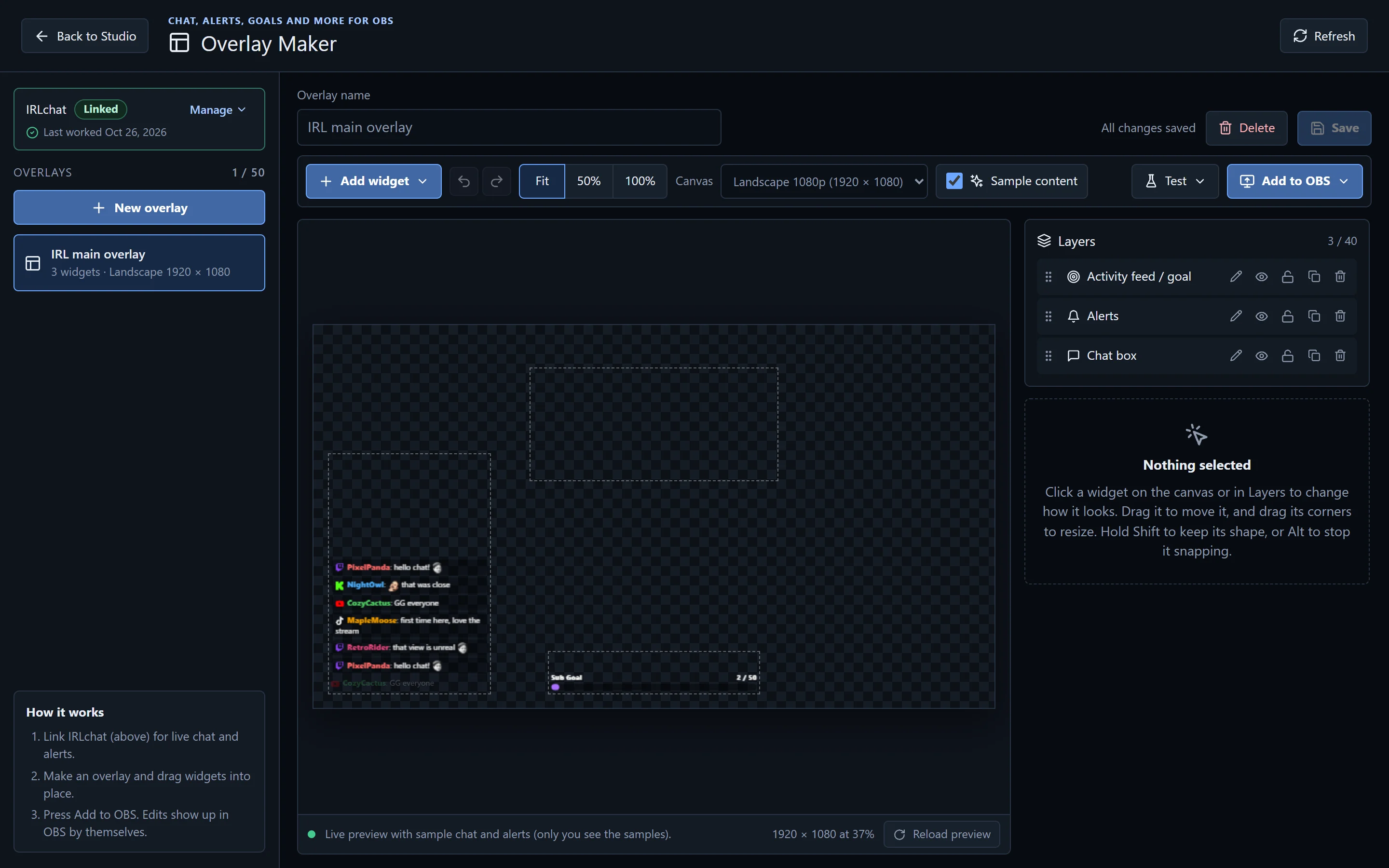
Drag widgets onto a landscape or vertical canvas and press Add to OBS. Every edit shows up on stream within seconds.
Invite a guest by email. They stream to their own relay near them, get a scene in your OBS, and Switching Bot covers them with BRB if their signal drops.
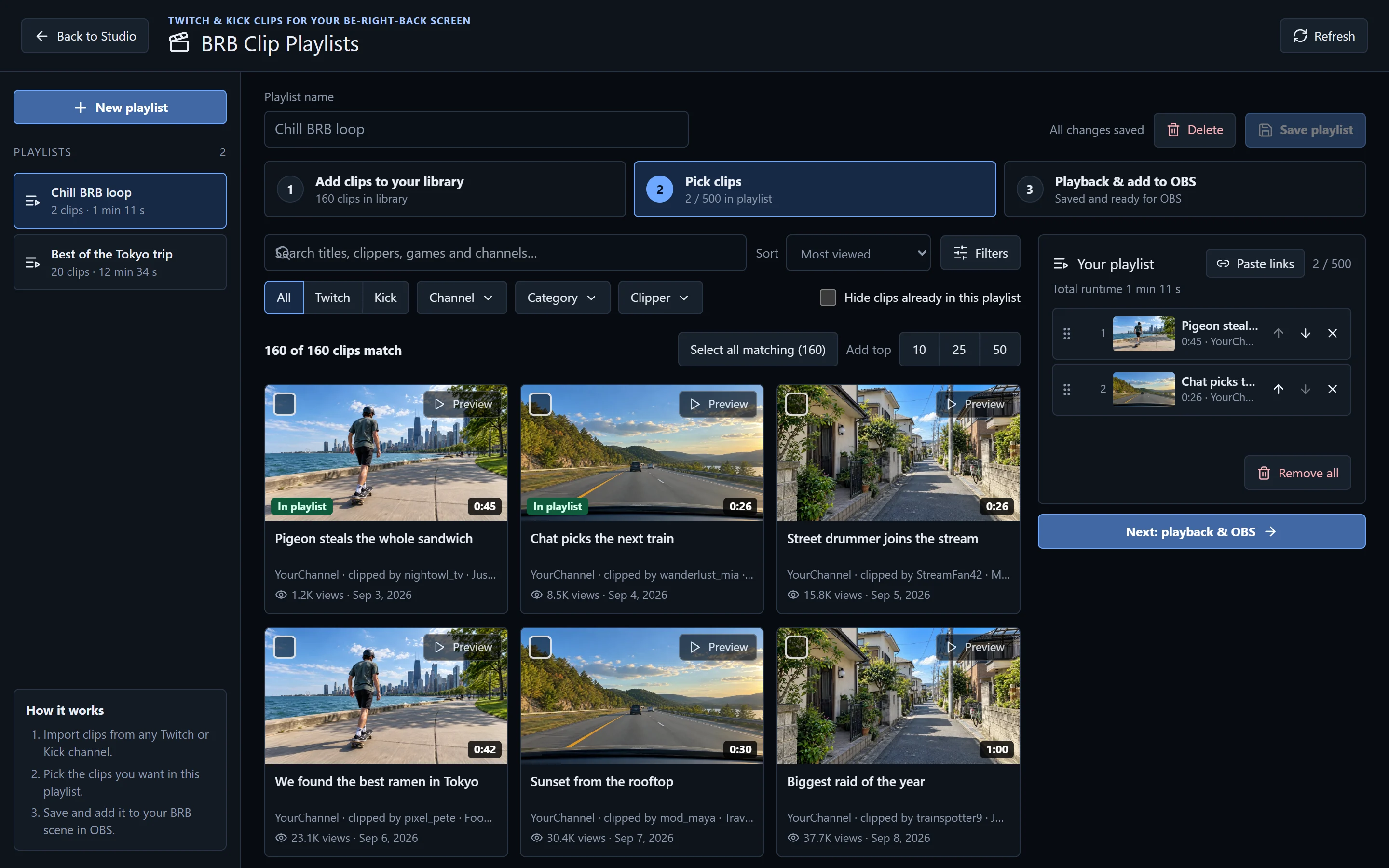
Out of the box, your BRB scene plays clips from your own channel, so nothing needs setting up. Make playlists when you want to pick exactly what plays.
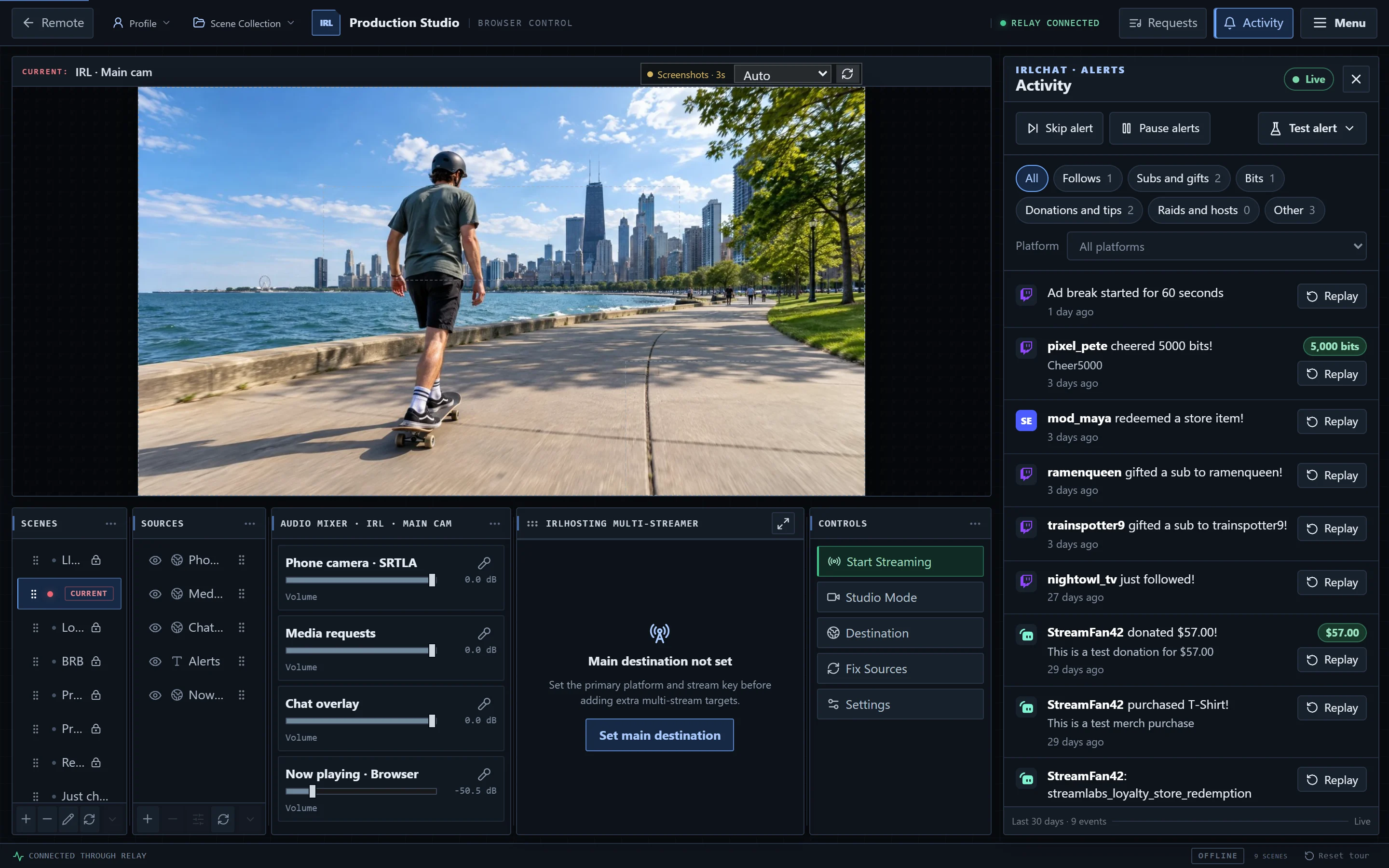
Activity collects your events from IRLchat and puts alert control next to your preview.
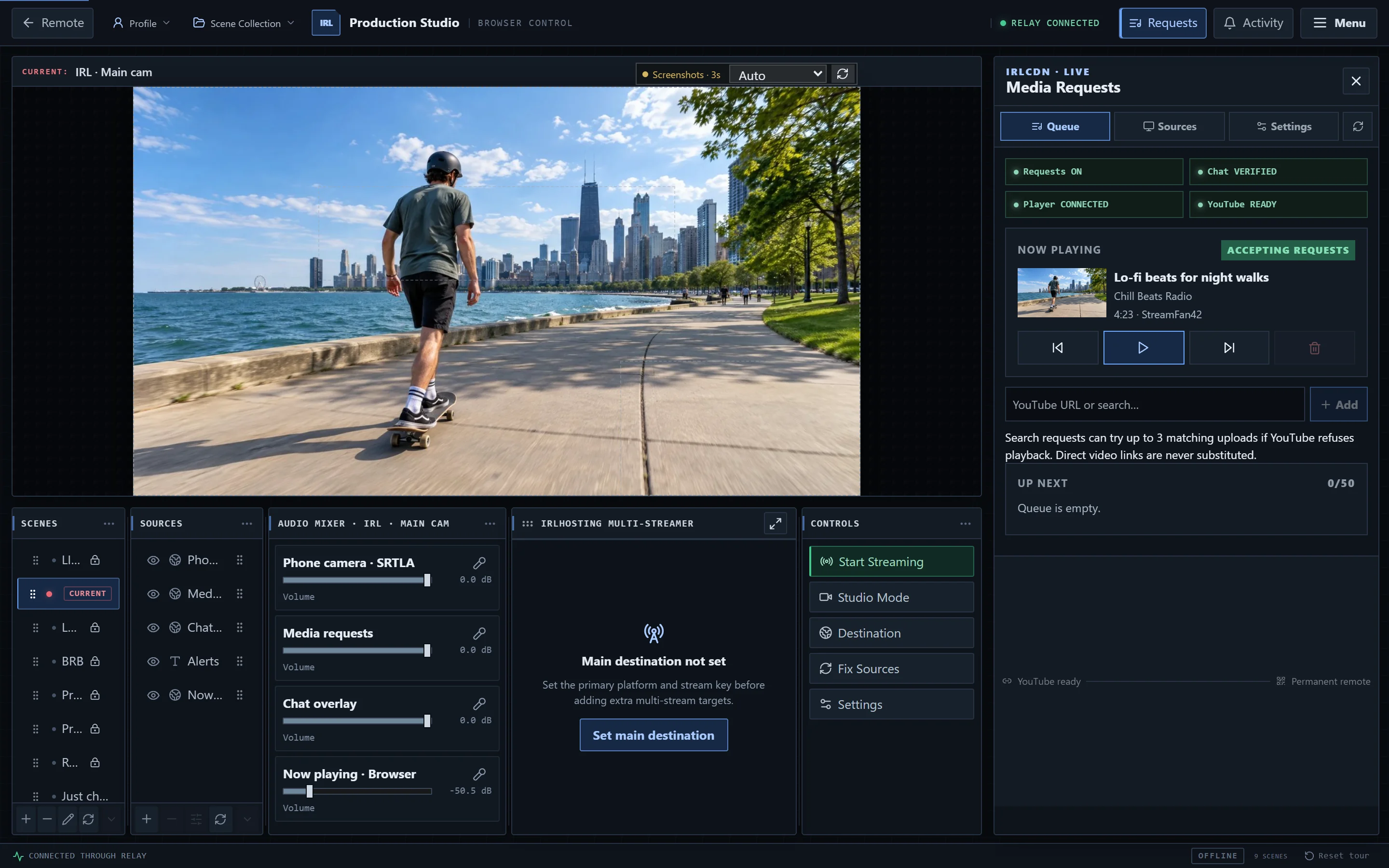
Viewers request YouTube videos from chat, and they play in OBS through your Media requests source.
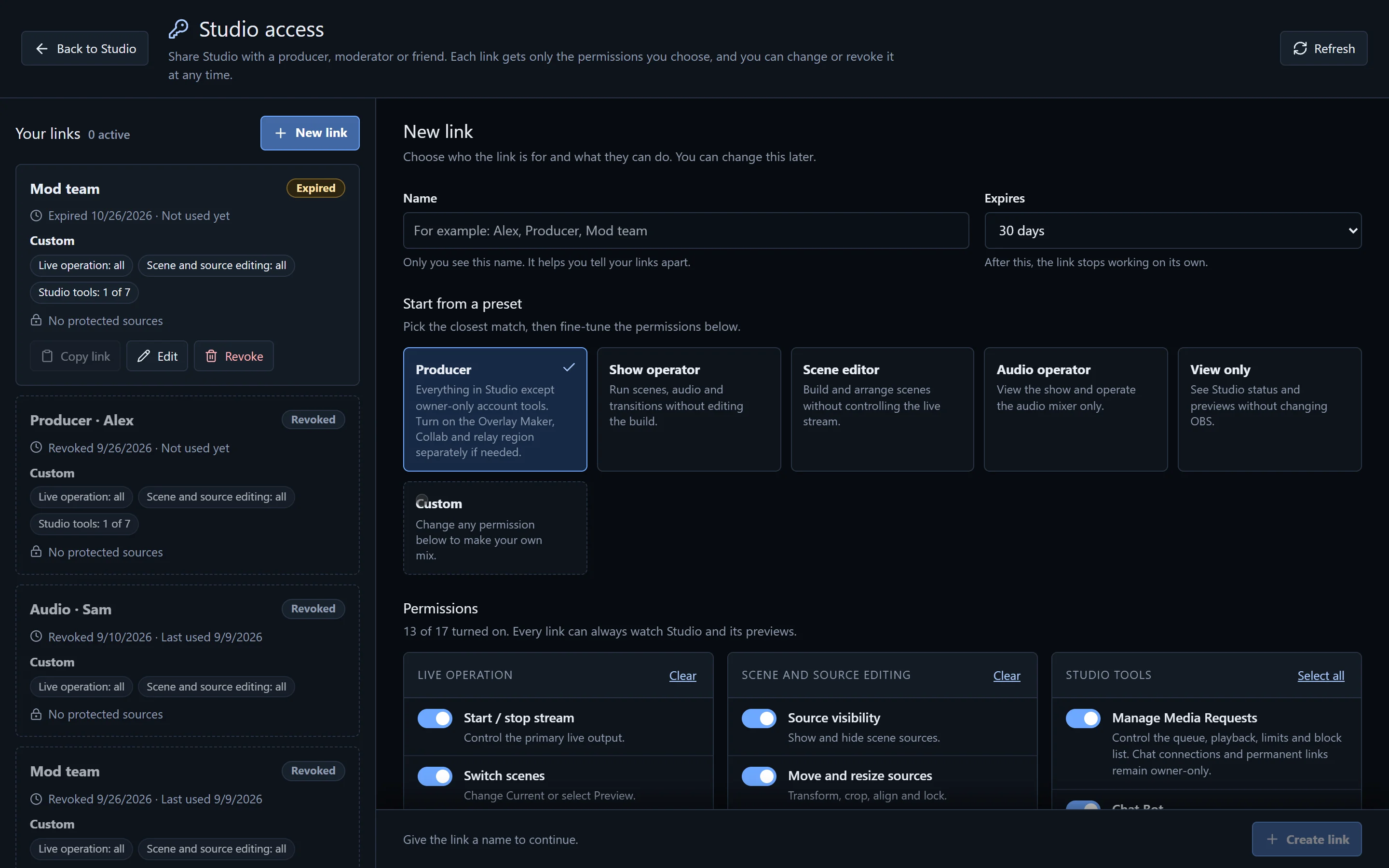
Make a link for each person, pick exactly what they can do, and revoke it whenever you like. Nobody gets your login.
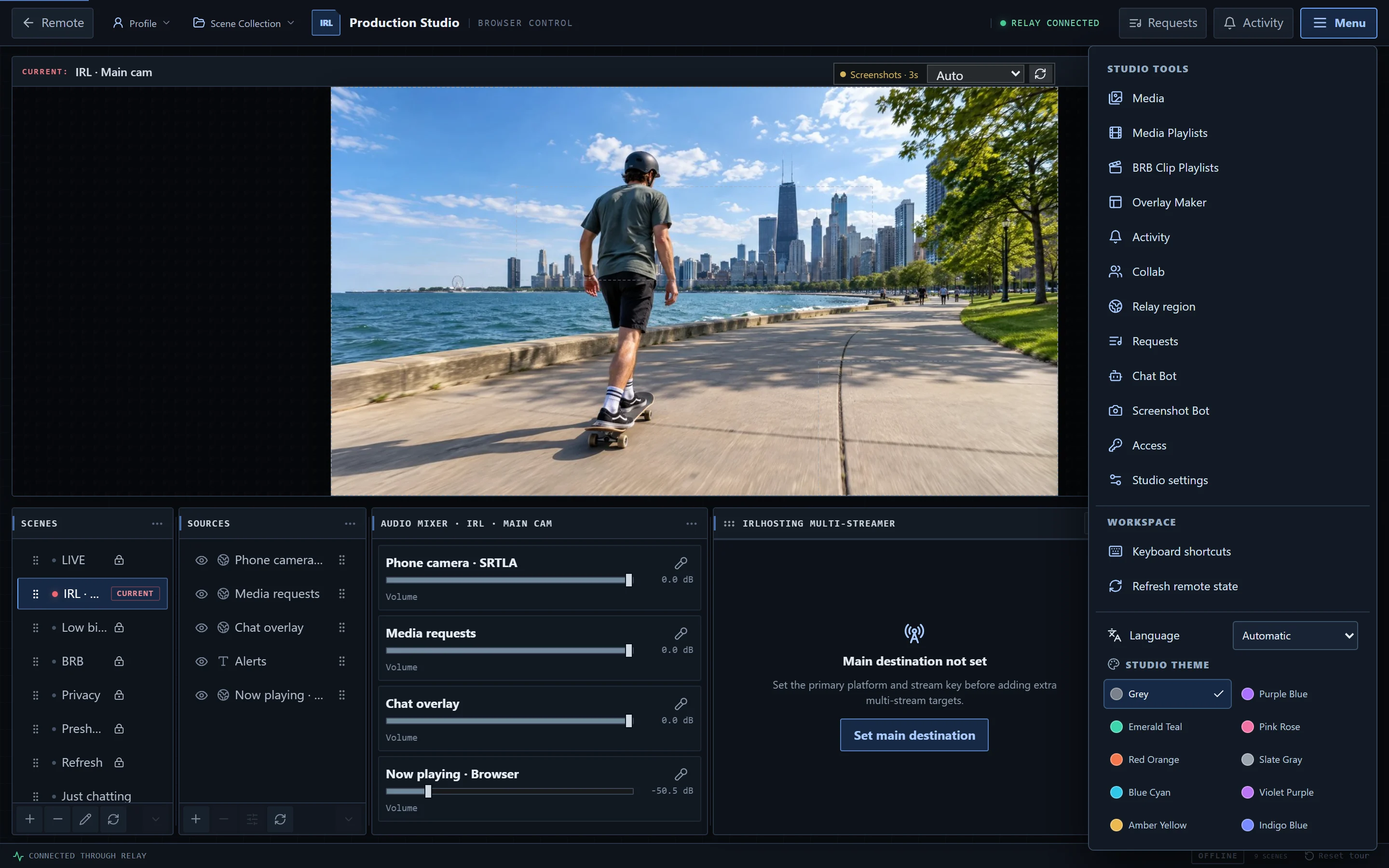
Everything lives in the menu, from your media library to the colour of the interface.
Keyboard shortcuts for scenes and stream controls, and panels you can pop out into their own windows.
Paste another streamer's SRT, RTMP or RIST playback link and put their camera or full show into yours.
Separate Preview and Current canvases. Line up the next scene, pick a transition, then take it live.
Drag, crop, align, flip and lock sources on the canvas, with copy and paste transforms and edit history.
Add widgets, web overlays, or text you can change mid-stream, like a title or a social handle.
Set your main destination, add extra platforms, then start and stop them together.
Upload images and videos (up to 95 MB), drop them into a scene, or grab a permanent browser-source link.
Captures from your stream land in your media library, ready for socials or your BRB screen.
Travelling? Move your relay to a city near you. IRLstudio updates OBS and Switching Bot by itself.
Switch or create OBS profiles and scene collections from the browser, so you can keep a setup per show.
A camera feed froze or an overlay went blank? One click restarts every stuck browser and media source.
Need to give a mod access or invite a guest while you're out? IRLstudio does that from your phone too.
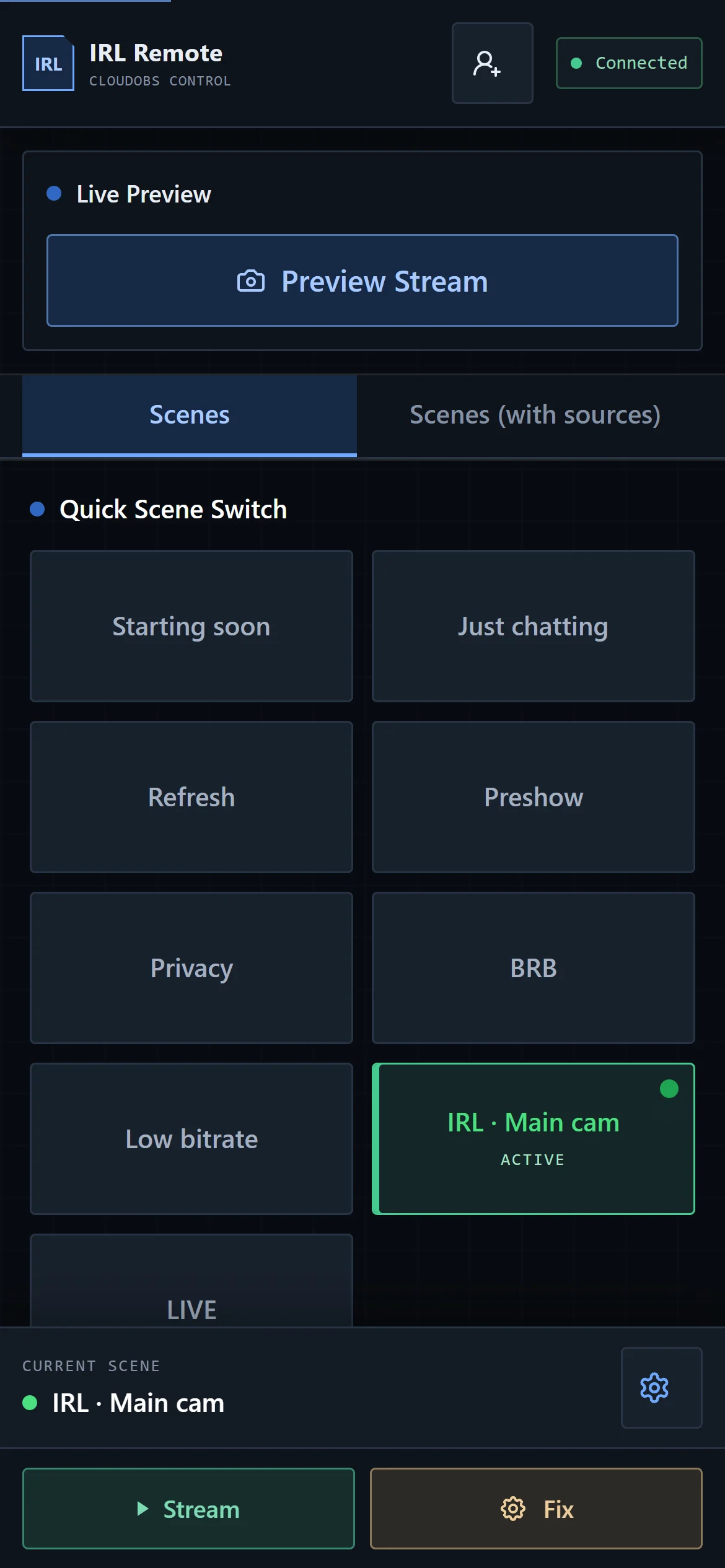
IRLremote
IRLremote is the phone-sized control room. Open it next to your streaming app and switch scenes without stopping to fiddle with a laptop. It comes with every plan.
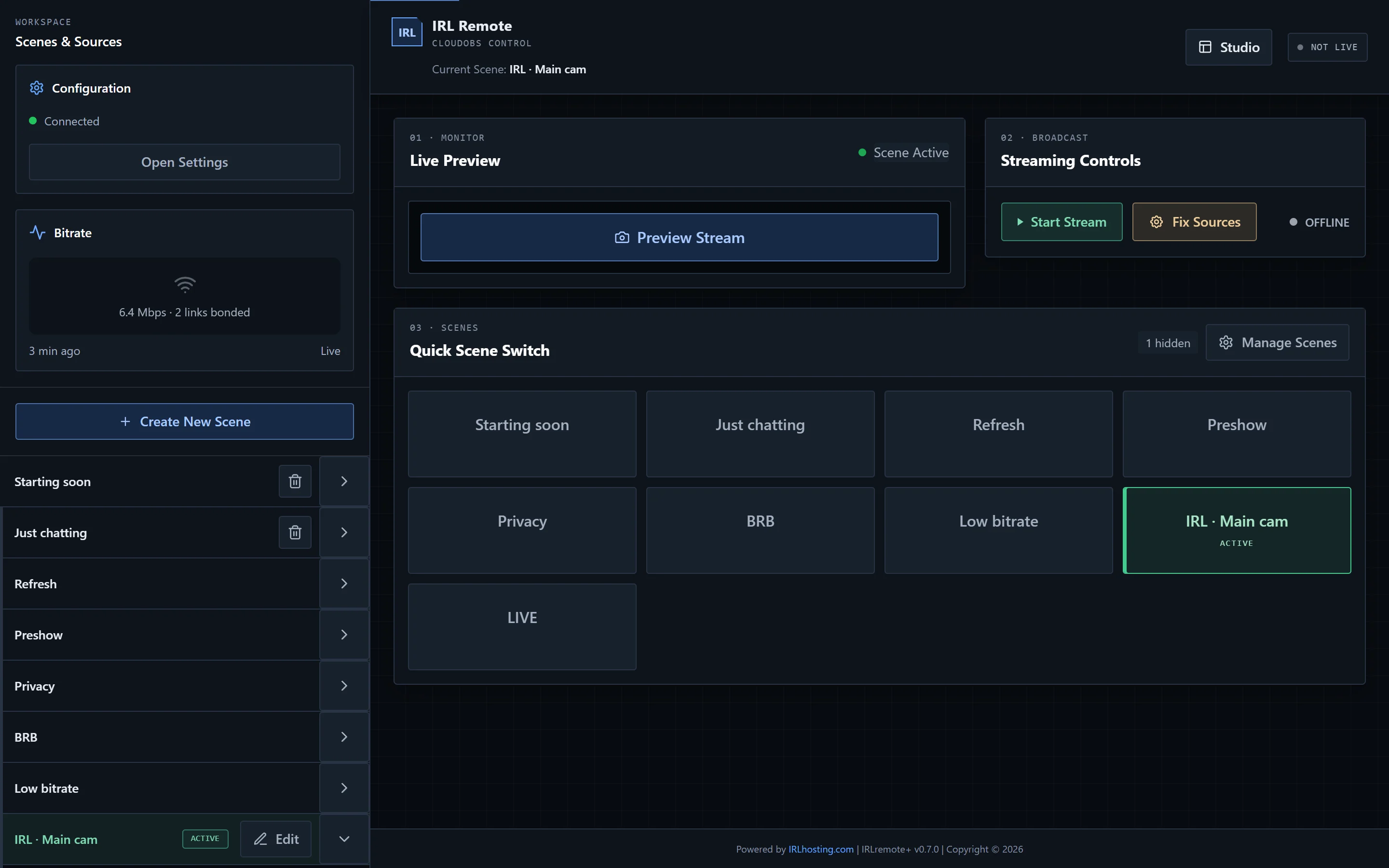
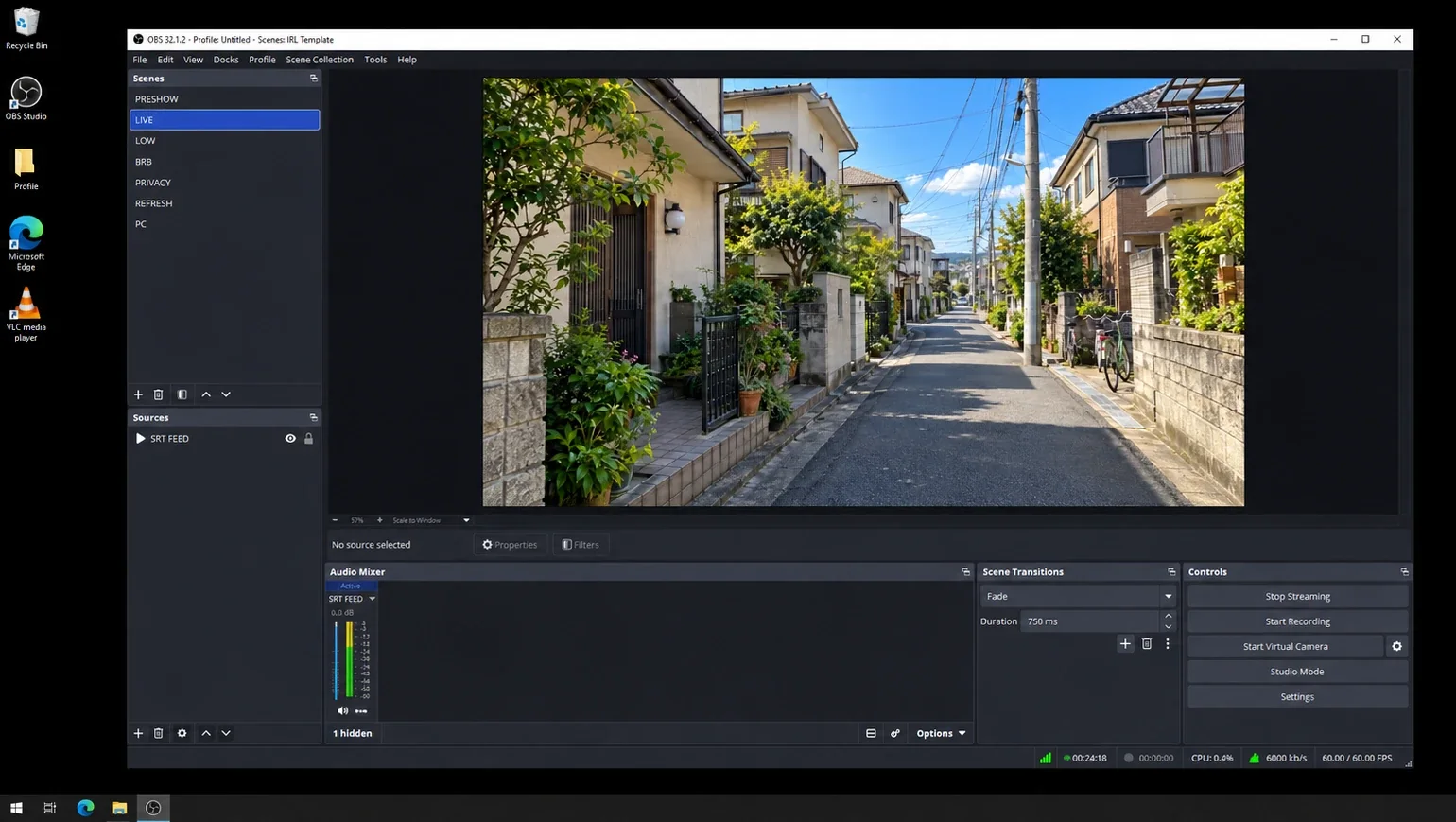
Remote desktop
Intermediate and Professional plans include remote desktop access to your cloud server, right in the browser. It's the full OBS Studio, the same as at home, on a server that stays online.
Plans
Every plan runs 24/7 with unlimited bandwidth, includes setup, and comes with IRLstudio and IRLremote. No setup fees.
Budget-friendly essentials
$39.99/month
Perfect for phone streamers
$59.99/month
Full control and customisation
$79.99/month
Maximum power and support
$129.99/month
We set up every server for you, live within 24 hours of payment and usually much sooner.
Need something custom, like GPU servers, a fleet for an event or sub-second latency? Ask us on Discord.
Ready in 5 minutes SimpleStreamer, from $14.99/month Happy with the stream your phone makes? SimpleStreamer passes it through untouched and holds a BRB screen when the signal drops. No cloud OBS needed. See SimpleStreamerSRT, SRTLA, RIST, RTMP and ERTMP endpoints for your own OBS have moved to their own home: IRLrelays.com. Every Cloud OBS plan above still includes its own relay.
How it works
Choose the server that fits how you stream. Not sure? Ask in Discord and we'll point you at the right one.
We set your server up within 24 hours. Your client area has one-tap imports for Moblin and IRL Pro, plus step-by-step guides.
Walk out the door. Switch scenes from IRLremote, and let disconnect protection handle the dead zones.
Works with Moblin · IRL Pro · IRLwhatever · Belabox · LiveU · IRLbox · DJI (RTMP)
FAQ
A relay (endpoint) only receives your phone's video so your own OBS can pick it up, which means you still need a computer running OBS. Cloud OBS is that computer: a server running OBS 24/7 that receives your video and sends the finished stream out. Every Cloud OBS plan includes at least one relay. If you only want a relay, head to IRLrelays.com.
When your mobile connection drops, the stream stays live on our server. Viewers see your holding scene (like "Reconnecting…") instead of the stream going offline, and it carries on as soon as you're back. You keep your viewers and your VOD stays in one piece.
A majority of streamers' needs are satisfied with the Intermediate plan. For more complex streams, multiple cameras/drones or collaborative streams, choose Professional. Still unsure? Open a ticket in our Discord and we'll help determine what plan best meets your needs.
IRLstudio controls your cloud OBS from any browser: preview, scenes, sources, audio, transitions and the multi-streamer. Its menu adds the Overlay Maker (chat, alerts and goals), BRB clip playlists, an alert activity feed, viewer media requests, a media library and access links for your mods. IRLremote is the phone-sized version for switching scenes and starting or stopping the stream on the go. Both come with your plan.
Servers are delivered within 24 hours of payment, and most are much sooner. Your client area then walks you through connecting your app, with one-tap imports for Moblin and IRL Pro.
Anything that accepts a stream: Twitch, Kick, YouTube, Facebook, X, Rumble, Trovo, AfreecaTV and more. TikTok needs an RTMP address, which TikTok only gives out through agencies.
No. Your phone or encoder sends video to your Cloud OBS server, and the server does everything a home PC would: scenes, overlays, alerts, BRB and sending the stream to Twitch, Kick or YouTube. Nothing has to stay switched on at home.
Install Moblin (iPhone), IRLwhatever (Android), or IRL Pro (Android), scan the provided settings import QR code and tell the Cloud OBS server to go live from IRLstudio or IRLremote. Our guide to IRL streaming from your phone walks through it.
Yes. Intermediate streams to up to 5 platforms at once and Professional to up to 12, all from the same OBS. Set the destinations in IRLstudio's multi-streamer and start or stop them together.
SRTLA splits your stream across several connections at once, like two SIM cards and Wi-Fi, so one dropping out doesn't end your stream. Every plan's relay accepts SRTLA as well as SRT, RIST, RTMP and ERTMP. Read more in what is SRTLA?
Yes. Both run OBS in the cloud for IRL streamers. IRLhosting plans start at $39.99/month and include IRLstudio, IRLremote, BRB clip playlists and disconnect protection. See the IRLhosting vs IRLToolkit comparison.
Yes. Basic setup is included on every plan, and Professional gets white-glove setup. Our Discord support is run by people who actually stream IRL.
Partner program
Partners get special rates, a faster line to our team and first go at new IRLstudio features. In return, you tell us what works out there and what doesn't.
Special rates on every IRLhosting service.
Dedicated help with faster replies.
Try new features and betas first.
A direct line for custom requests and integrations.
We review applications within 48 hours and reach out on Discord if you're accepted.
Pick a plan and we'll set up your cloud OBS for you.
Message the IRLhosting team. Replies show up right here.
Hey! Ask us anything about plans, setup or whether IRLhosting fits the way you stream.