
How to Multi-stream with your Cloud OBS server
- Open the client area on the IRLhosting Website
- Navigate to your order and click on "View Details"
- Open your Streamer Hosting Intermediate or Professional package. (At this time, Multi-streaming is only available on Intermediate and Professional level plans)
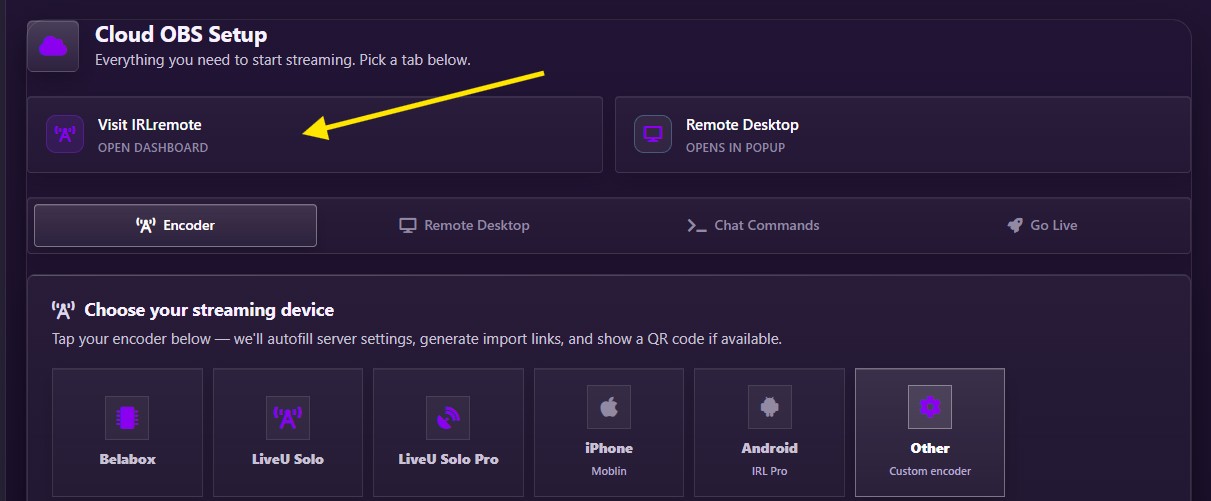
- Scroll down and click the “Visit IRLremote” button to open the IRLremote. It is recommended to bookmark your unique IRLremote URL as it will be useful in the future while you are IRL streaming.
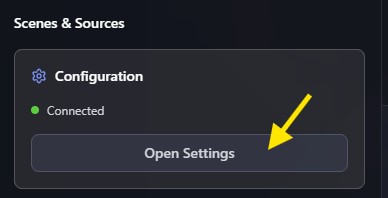
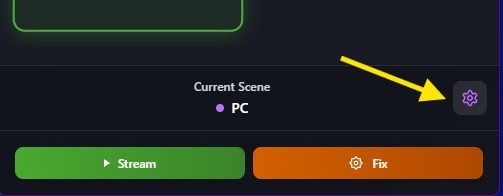
- On desktop press the "open settings button in the top left. On mobile, press the settings gear in the bottom right.
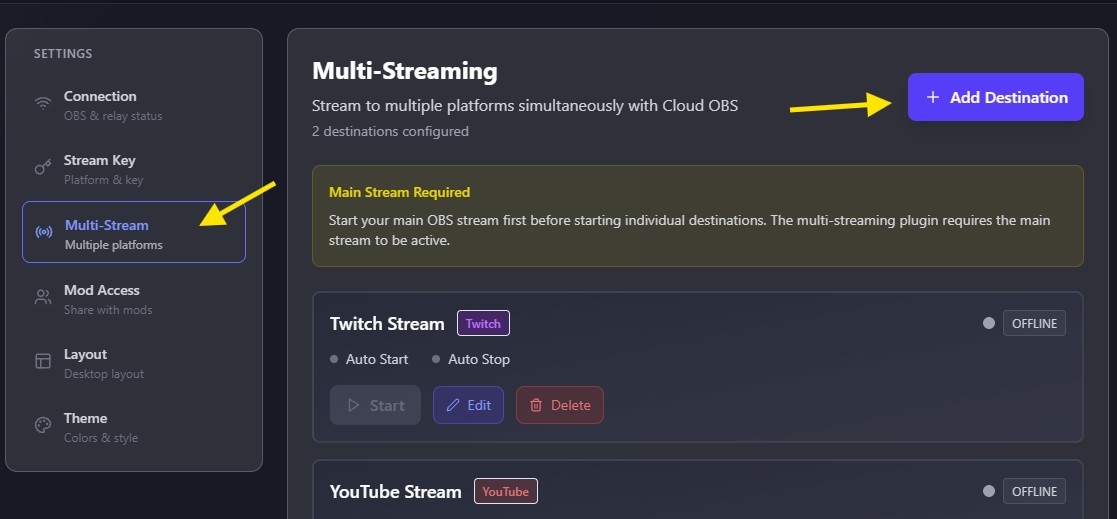
- Click on the "Multi-Stream" tab, then click on the "Add Destination" button.
- Select the platform you would like to Multi-Stream to and add the required information.
- DO NOT add your main channel here. Your main channel must be entered directly into OBS either through the "Stream Key" tab on IRLremote or directly into OBS via remote desktop.
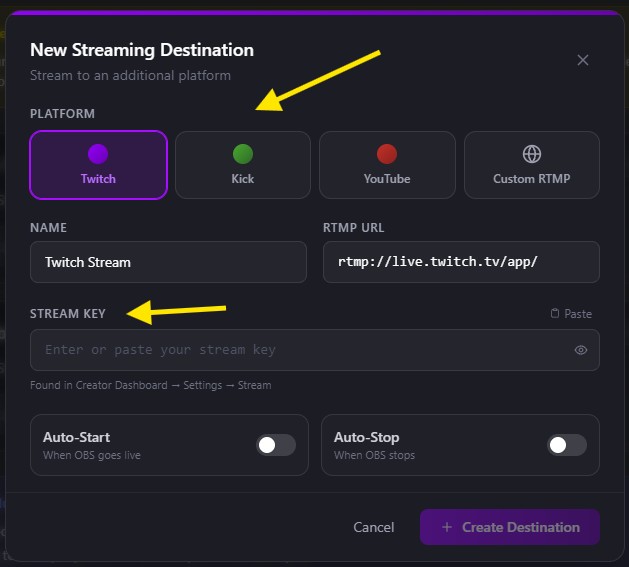
- To have the stream start when you start streaming on your main channel, select "Auto-Start"
- To have your stream stop when you stop streaming on your main channel, select "Auto-Stop"
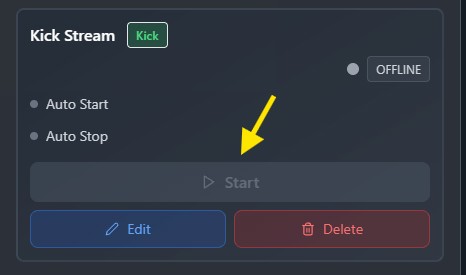
- To start the stream manually, navigate to the multi-stream area in IRL remote and click on "Start" the same is true for manually stopping the multi-stream.
How to Set up a Collab Stream
To set up a collab stream, get the required information from the person you will be collaborating with and enter it into the IRLhosting Multi-Streaming plug in.
It is suggested to enable "Auto Stop" but leave "Auto Start" disabled. This way you can start your stream before meeting up with your collaborator and there will be no chance to accidentally go live to their channel.
During a collab stream using this method 1:1 of your Cloud OBS output will be streamed directly to the other channel. You may want to make agreed upon modifications to your overlay and alerts before the stream.
