
LiveU Solo Configuration
You must have an active LRT subscription and have an LRT Zone selected before proceeding.
-
Open the Solo Portal
-
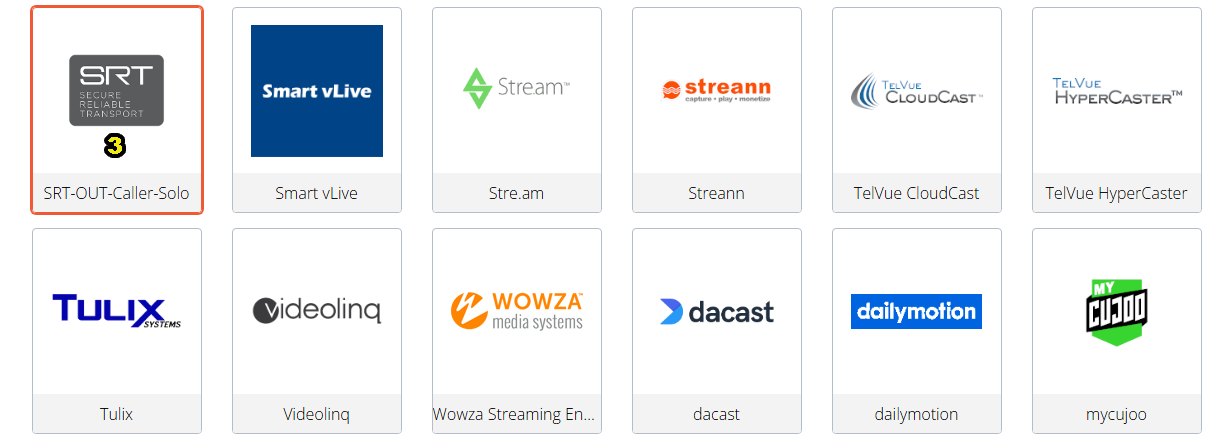
Click "Select New Destination"
-
Click "SRT-OUT-Caller-Solo"
-
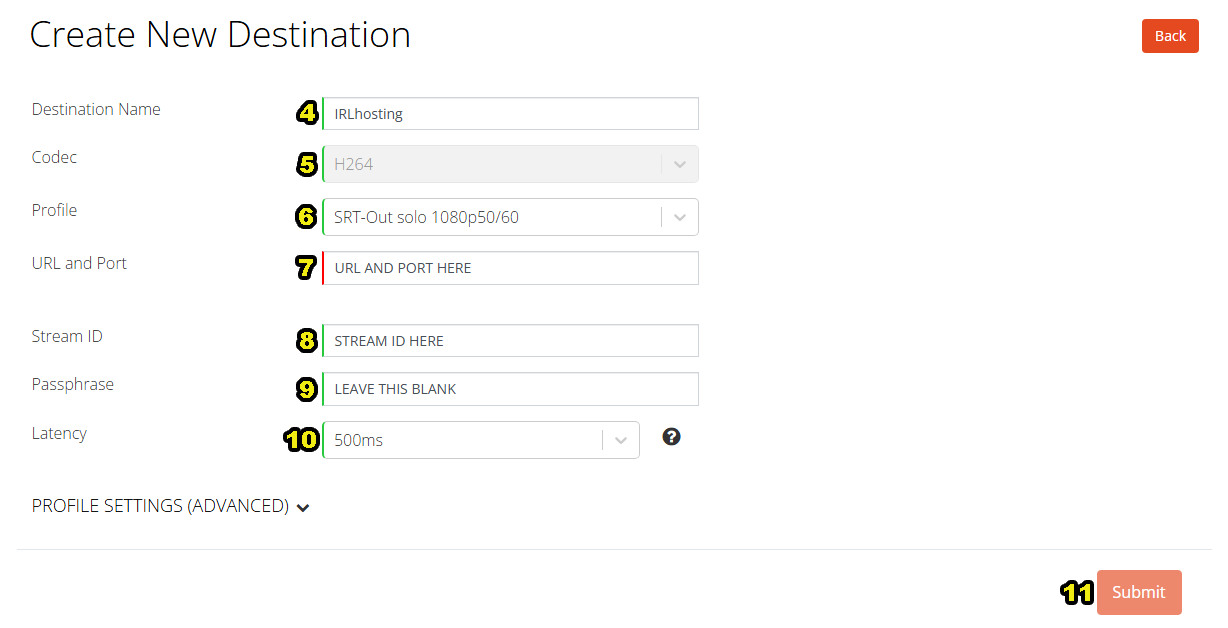
Name your destination "IRLhosting"
-
Select H265
-
Select the SRT-Out solo h265 1080p50/60 profile (or the 720p profile if you want to stream in 720p)
-
URL and Port: Copy your srt URL here
-
Stream ID is: Copy your Stream Key here
-
Leave Passphrase blank
-
Set Latency to 500ms or greater
-
Submit settings
Power on your LIVEU Solo, connect it to the internet and select the newly created "IRLhosting" Streaming Destination!
Streaming process:
-
Start broadcasting with your LiveU, this sends audio/video to your OBS Instance
-
Use IRLremote+ or chat commands (Twitch/Kick only) to start your OBS Instance broadcasting to streaming platforms
